Flux v1.69
Version 1.69 · Movies and series

Flux

Movies and series that start right away.

The catalog, dubs and your list — on your TV, with a regular remote. Press “Watch” — and you’re watching.

How to install
Free · No ads · APK 31.4 MB · Android TV 6.0+
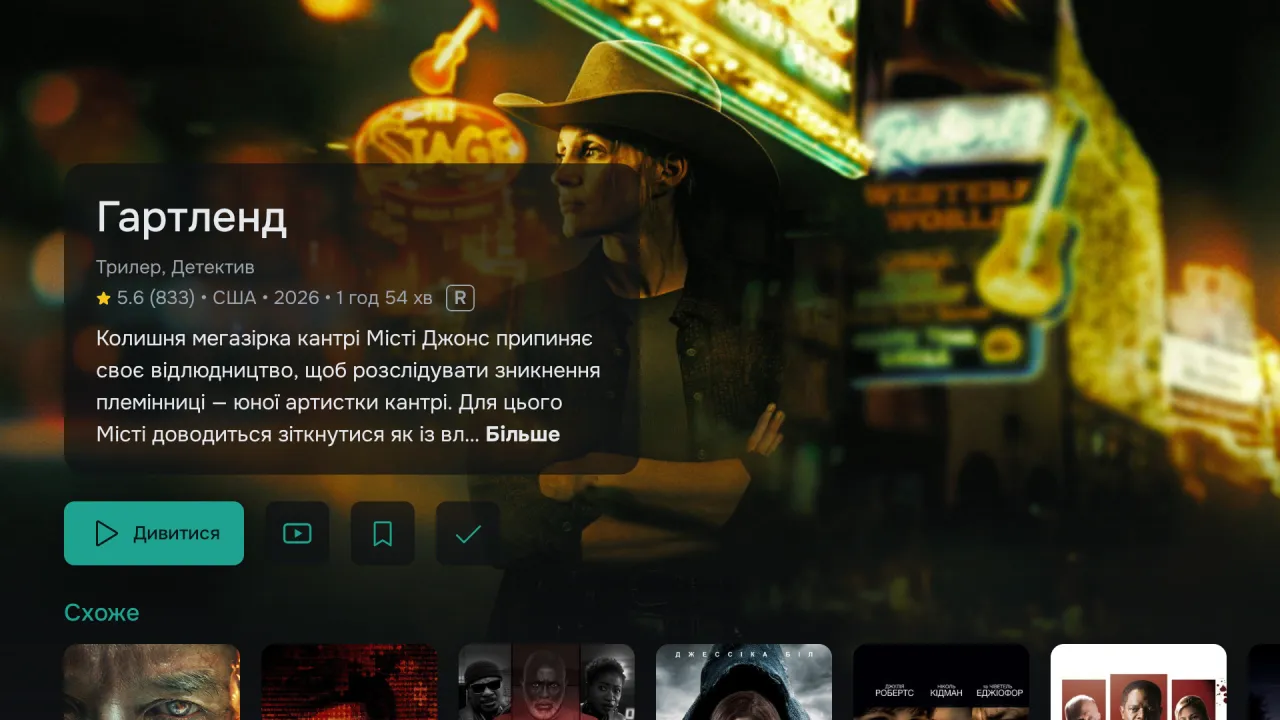
Flux: a movie page with a description and the “Watch” button
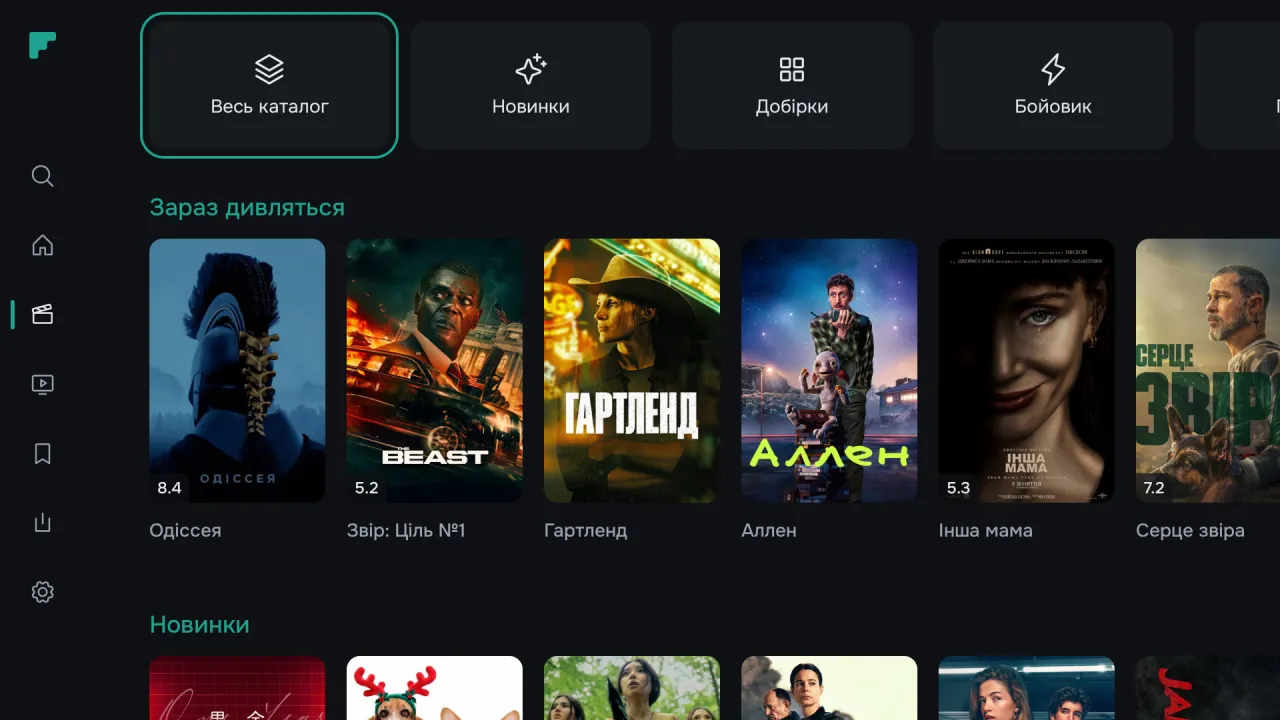
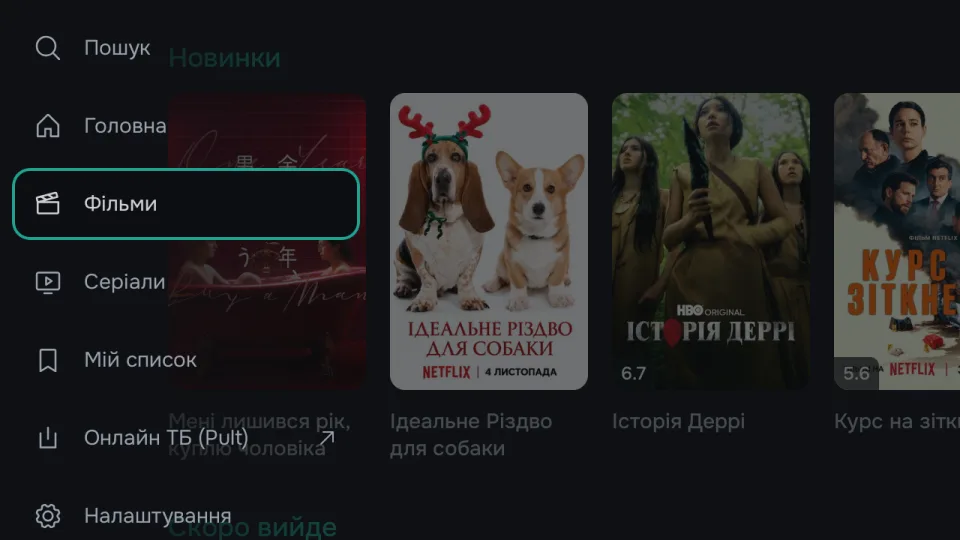
Flux: the movie catalog — categories and the “Trending today” row
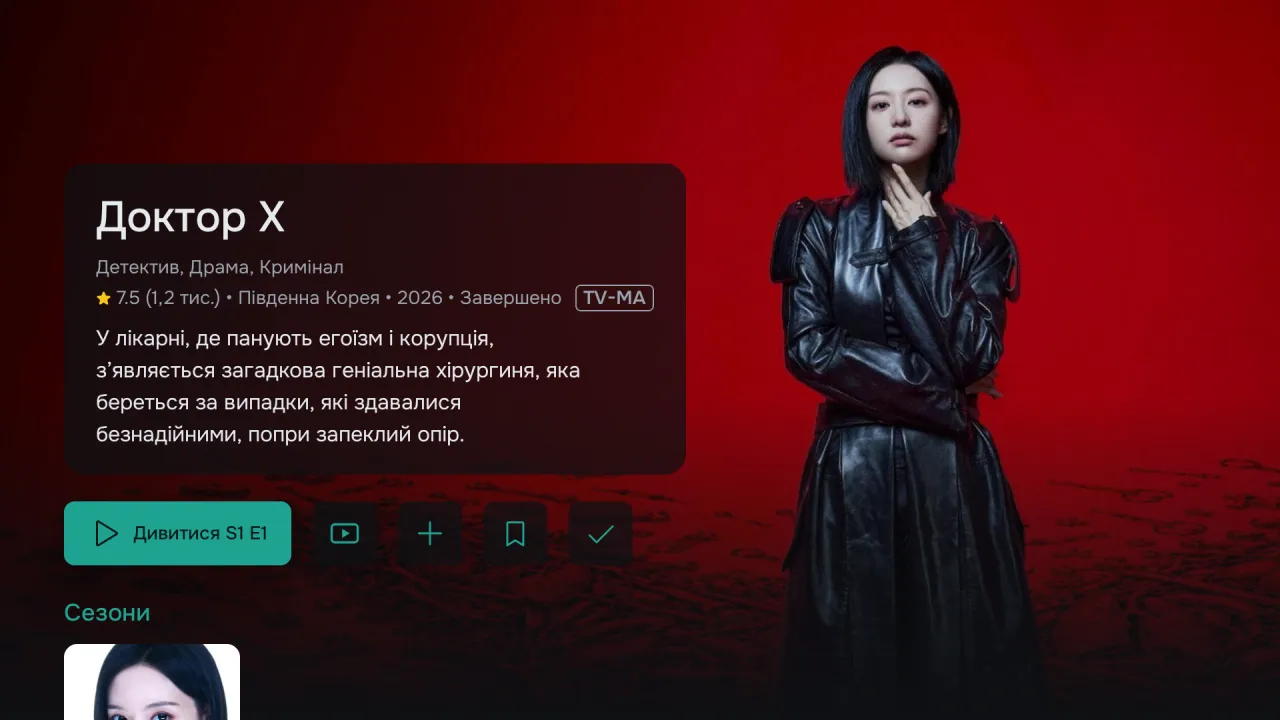
Flux: a series page with the “Watch S1 E1” button and seasons
INSTANT PLAYBACKTMDB CATALOGAUTO FRAME RATETRAKT SYNCZERO ADSINSTANT PLAYBACKTMDB CATALOGAUTO FRAME RATETRAKT SYNCZERO ADS
Flux features

Everything you need to just watch.

No spending half the evening on setup, no hunting for what else to install.

The main thing

Press — and you’re watching.

Flux picks a source that your TV and your internet can handle and starts the movie in seconds. Nothing extra to install — everything it needs is already inside.

Stream auto-pick for your device
1080p HEVC · Ukrainian 5.1 · Fast startSelected
2160p HDR10 · Original AtmosAvailable
Catalog

Thousands of movies and series with descriptions.

Posters, IMDb ratings, cast, collections and the Top 10 — a catalog from TMDB that updates itself.

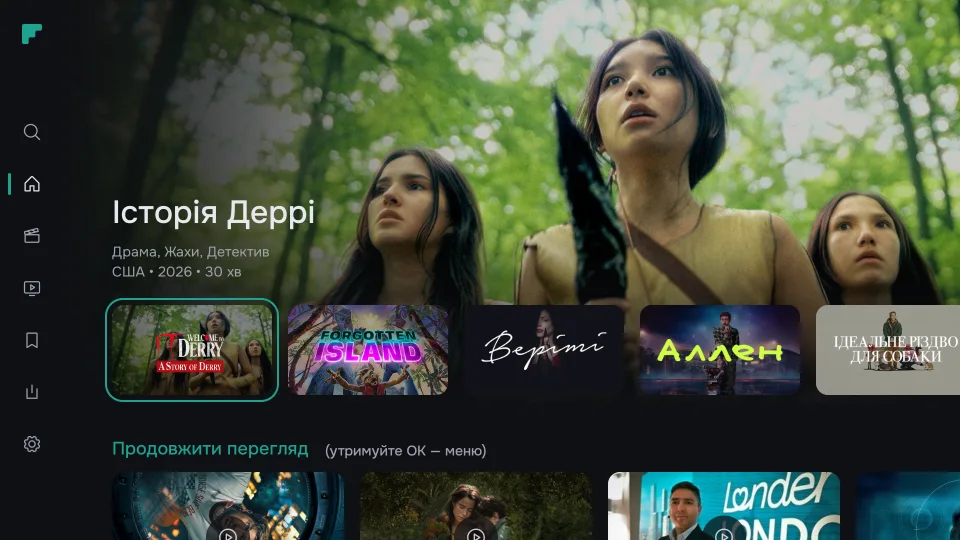
Flux: Home — a large title card with genres, a row of picks and “Continue Watching”
Series

No season mix-ups.

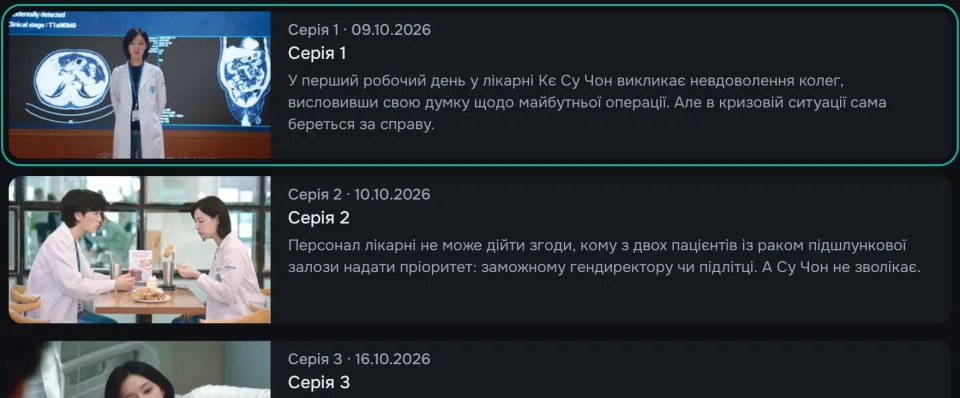
Flux remembers which episode you stopped at: the button offers “Watch S2 E5” right away.

Flux: a season’s episode list with a description for each episode
Dubs and subtitles

Your language. Your dub.

Choose the dub and subtitles with your remote. Flux remembers your favorite filters for next time.

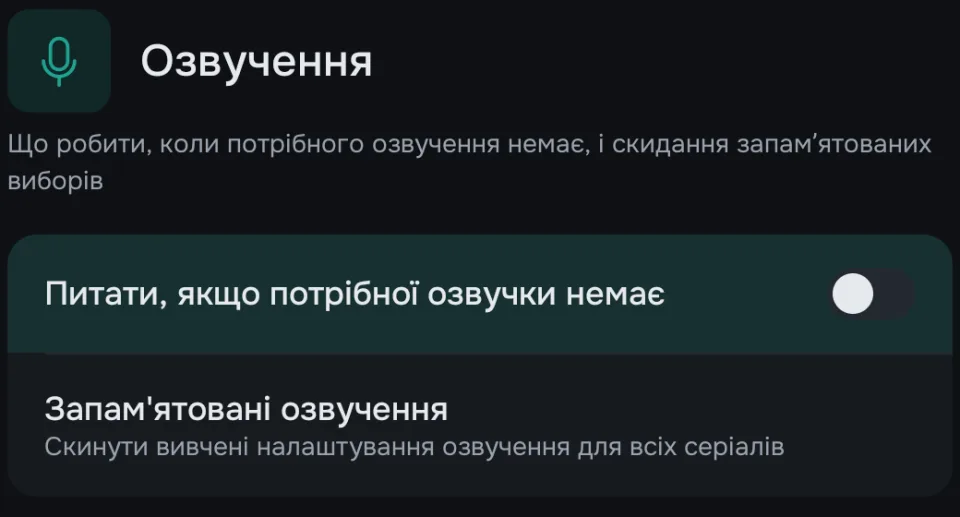
Flux: voice-over settings — ask when the preferred dub is missing, and remembered choices for series
Tailored to your TV

Plays the way your screen can.

Flux skips streams your TV can’t handle. And with “Smooth motion” on, it switches the screen refresh rate to match the movie — no judder.

24pmovie
→
24 HzTV screen
HEVCHDR10Dolby VisionAACDTS‑HD
My List

Pick up where you left off.

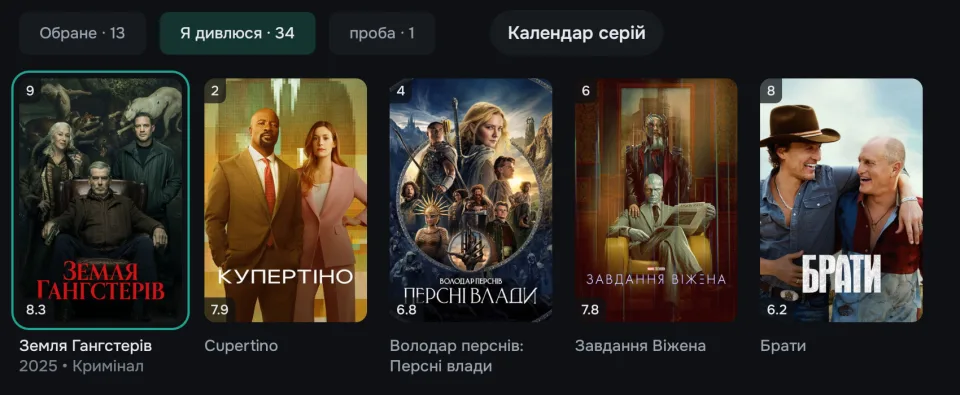
“Continue Watching”, favorites and the episode calendar. Trakt lists show up on Home.

Flux: “My List” — Favorites, Watching, Trakt lists and the episode calendar
Install and launch

Get started in 3 minutes.

It’s all done right on the TV with the remote. After that, Flux updates automatically.

✓ Android TV or Google TV, Android 6.0+
✓ Regular remote
✓ Stable internet
Google Play on TV · Search
🔍 downloader
↓
DownloaderFree · For Android TV
Install
Downloader · Enter URL
liilstudio.online/flux.apk
Go
Install Flux?
APK updates and installation
Cancel Install
FIRST LAUNCH
Add a search server
https://your-server:port
Connect recommended Skip — catalog only
liilstudio.online/flux.apk
or download the APK file to a PC or phone and transfer it to the TV
IMPORTANT:
Flux comes with no sources. It shows the catalog and plays what it finds on servers you connect yourself — your own or recommended community servers that Flux doesn’t control. We don’t store content — the user is responsible for the sources.
Update history

What’s new.

Flux checks for updates on its own at launch and offers to install the latest version.

1.69 new
Live TV now lives in the Pult app: the menu item opens it or installs it in one tap, and Pult offers to move your playlists. Posters load again where TMDB is blocked, and the app no longer crashes there. New in Settings: Our apps (Pult and Viy). Plus fixes for Home rows and the Top 10.
1.68
Fixes a crash on Android 9 and older when searching for releases (for example, when resuming a series).
1.67
Recommended community servers: connect in one tap on first launch or in Settings. Trakt: “Remove from row” now drops a show on all your devices; more reliable sync between TVs. Posters load again. More accurate audio language. Larger description text.
1.66
Enter the search server address from your phone via QR. “Flux chooses” now works with an external player. Resume from another device (Trakt) starts where you left off. Audio track follows the interface language.
1.65
Faster playback start: the engine warms up early and auto-pick tries two releases at once. Dimmed pause screen. Telegram group QR in About.
1.64
Your own Trakt lists in My List and on Home, adding to lists from the TV, faster start, Top-10 rows, dynamic range filter.
1.63
Remembered source filters, search history, your own proxy for the catalog (Beta), interface language fixes.
1.62
General optimization of app stability.
1.61
Ratings now come from IMDb. The built-in engine starts in seconds again, no longer dies mid-playback and uses far less memory.
1.60
The interface now moves: focus glides between cards, cards answer your press, and rows no longer twitch. Posters and collections got a new look.
FAQ

Questions and answers.

Which devices does Flux work on? +
On TVs and set-top boxes with Android TV or Google TV, Android 6.0 and newer: Chromecast with Google TV, Xiaomi Mi Box and TV Stick, NVIDIA Shield, Sony, Philips, TCL, Hisense TVs and others. Flux is built for a TV and a remote — it isn’t designed for phones and tablets.
Do I need to install anything else? +
No, you don’t need separate apps: the playback engine is built into Flux. All you need to watch is a search server — recommended community servers connect with one button, or you can enter your own. External player — optional, in Settings.
Where does Flux get movies from? +
Descriptions and posters — from the open TMDB database, ratings — from IMDb. The video itself Flux finds on search servers you connect yourself. We don’t provide or store any content.
Why does Android warn me during installation? +
That’s how Android reacts to any app that isn’t from Google Play. Flux downloads from GitHub — updates come from there too — so allow installs for Downloader and carry on.
How do I update Flux? +
You don’t have to — Flux checks for new versions on its own and offers to update. Nothing to uninstall or reinstall; your settings and history stay.
Is it really free? +
Yes. No ads, subscriptions or paid features — now and going forward.
Ecosystem

Also from liil studio.

Still have questions?

Write in our Telegram chat — the community and developers will help with setup.

Open chat

App

Version · APK

On your TV Easiest

Open the Downloader app (it’s in Google Play on TV) and enter the short address:

liilstudio.online/flux.apk

From a computer or phone

Download the APK file straight from GitHub and move it to the TV with a USB stick or “Send Files to TV”.

Download APK ↓

The file comes from the official GitHub repository — the same place auto-updates come from. Android may ask you to allow installs from unknown sources for Downloader — this is a standard system requirement.