Viy New · v0.10
New · version 0.10 · Video player

Viy

Sees everything.

Your films from a USB stick, your home network or a link — with proper surround sound, ASS subtitles, HDR and Dolby Vision.

How to install
Free · No ads · APK 49.4 MB · Android TV 7.0+
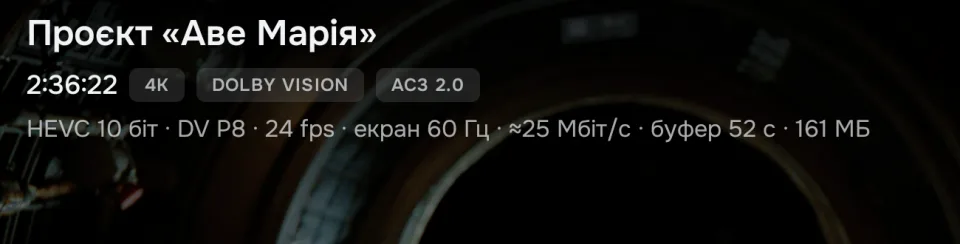
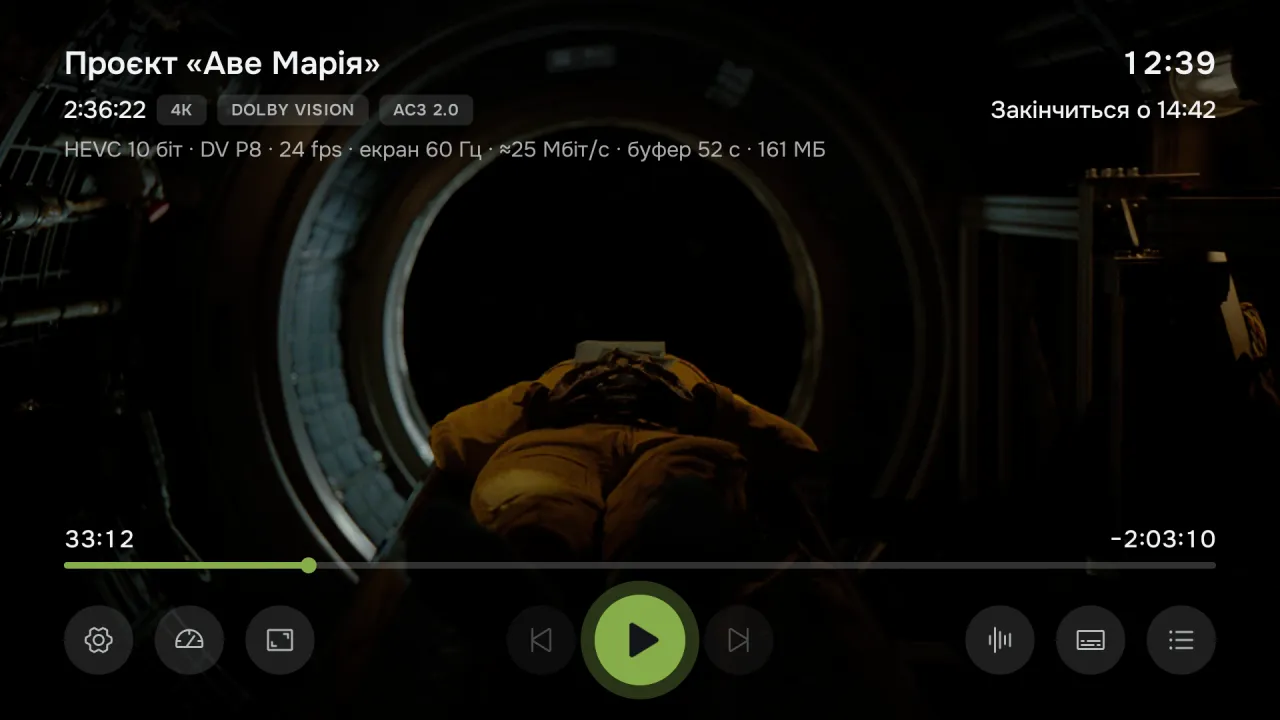
Viy: a 4K Dolby Vision film — the player panel with the title, format badges and stream details
Viy: the home screen — “Continue” and library films with posters
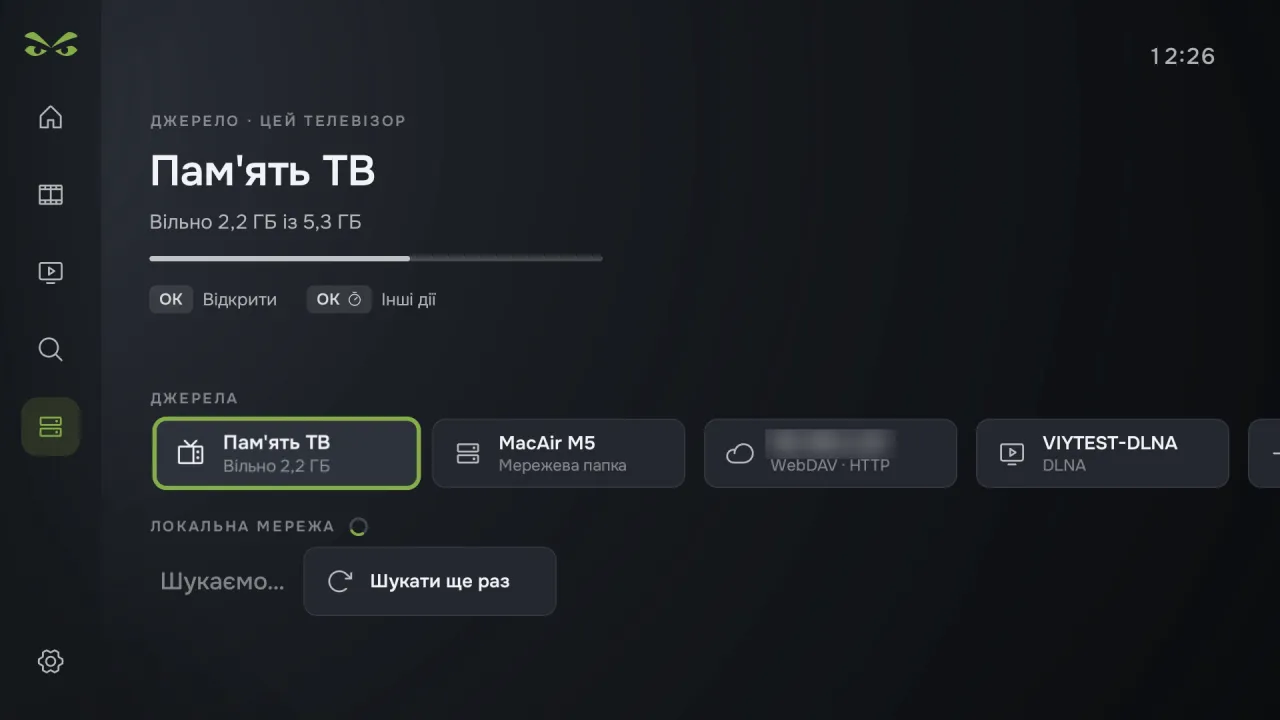
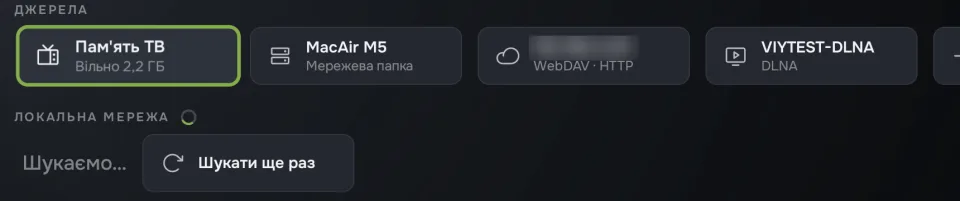
Viy: sources — TV memory, an SMB network folder, WebDAV and a DLNA server
DOLBY VISION PROFILE 7TRUEHD ATMOS & DTS-HDFULL ASS/SSA SUBTITLESSMB & WEBDAVZERO TRACKINGDOLBY VISION PROFILE 7TRUEHD ATMOS & DTS-HDFULL ASS/SSA SUBTITLESSMB & WEBDAVZERO TRACKING
Viy features

Turn it on — and it plays.

A lightweight player that understands the file, the TV and the receiver.

Dolby Vision

Profile 7 — even where it’s “not supported”.

Viy passes Dolby Vision profiles 5 and 8 to the TV as is. UHD Blu‑ray remuxes with Dolby Vision profile 7 play even where the TV supports only newer profiles: Viy converts them to profile 8.1 on the fly. Without Dolby Vision, profiles 7 and 8 play as HDR10, while HDR10 and HLG go to the screen as is.

Viy: 4K and Dolby Vision badges and the stream line — HEVC 10-bit · DV P8
Audio

Sound, as intended.

Pass the track to your receiver as is, or decode AC3, E‑AC3, DTS and TrueHD right on the box. There’s night mode, volume boost up to +21 dB and audio delay.

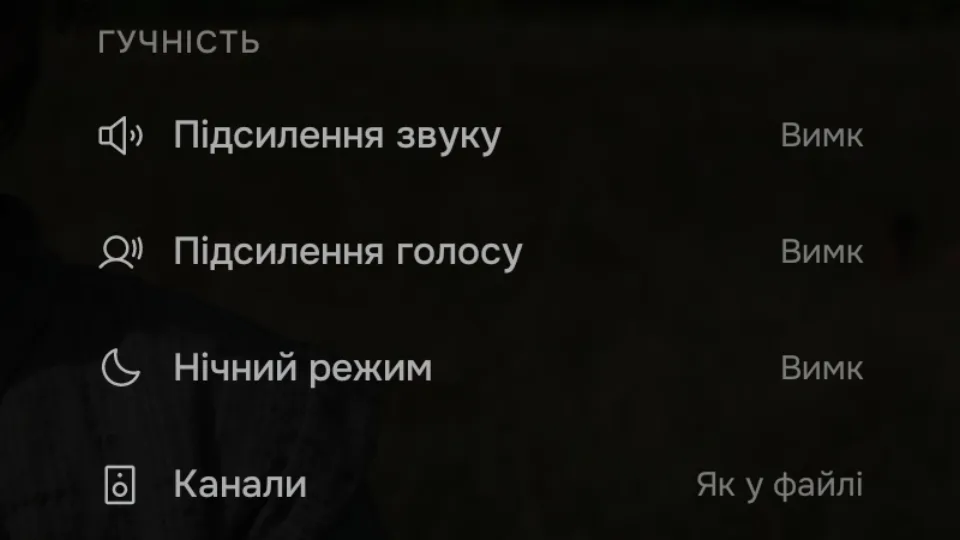
Viy: the “Audio” menu — volume boost, voice boost, night mode, channels
Subtitles

ASS — with all its effects.

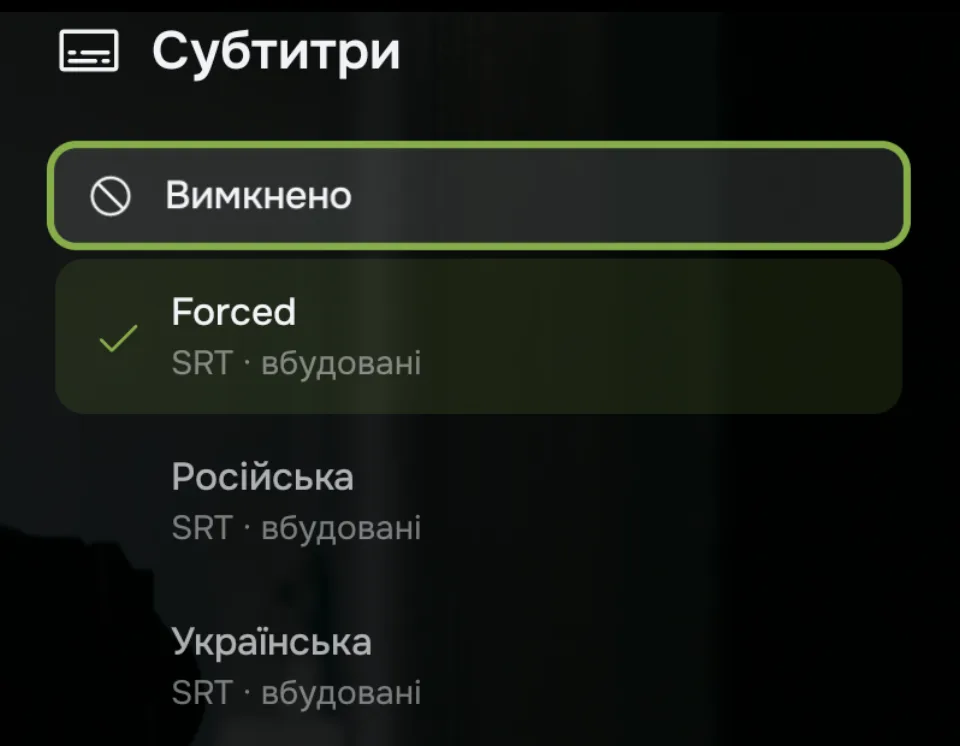
Full ASS/SSA, plus SRT and VTT next to the file. Size, position, background, delay and encoding — from the remote.

Viy: the “Subtitles” menu — built-in tracks in Ukrainian, English and other languages
Home network

Computers on your network — found by themselves.

Viy finds SMB computers on your home network by itself. There’s WebDAV — Nextcloud, NAS, cloud storage. Or just open an http, HLS or DASH address.

Viy: sources — an SMB network folder, WebDAV and a DLNA server next to TV memory
Library

Your files — like in a cinema.

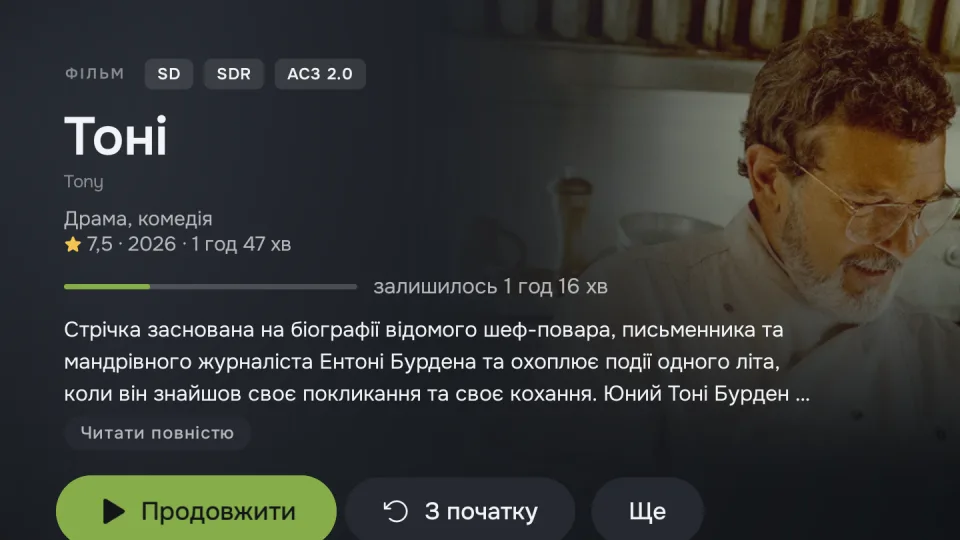
Add a folder — and Viy finds titles, posters, descriptions and cast by itself. Films and series kept apart, quick search across your library.

Viy: a film page in the library — description, rating, “Continue” and cast
Continue

Where you left off — and onward.

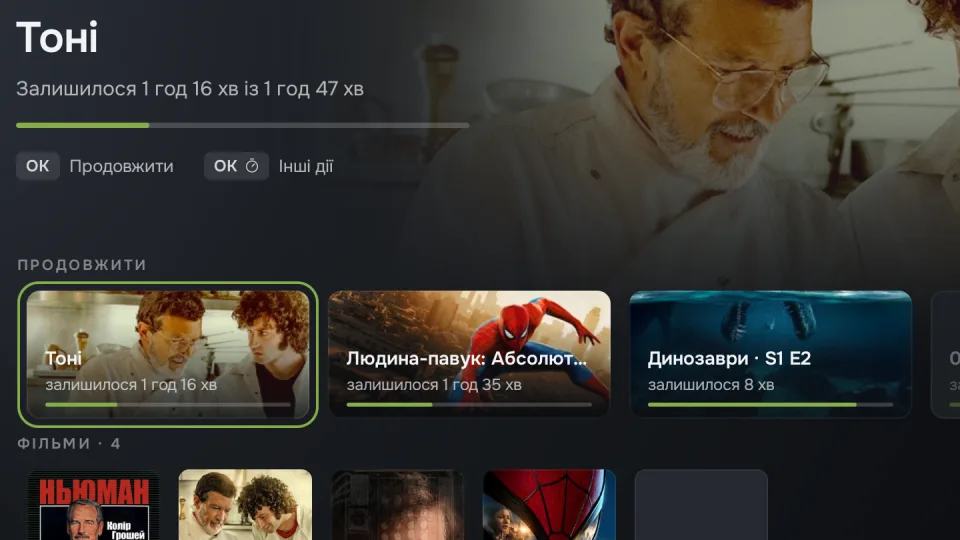
Viy remembers where you stopped, starts the next episode by itself, and in files with chapters offers to skip the intro and credits.

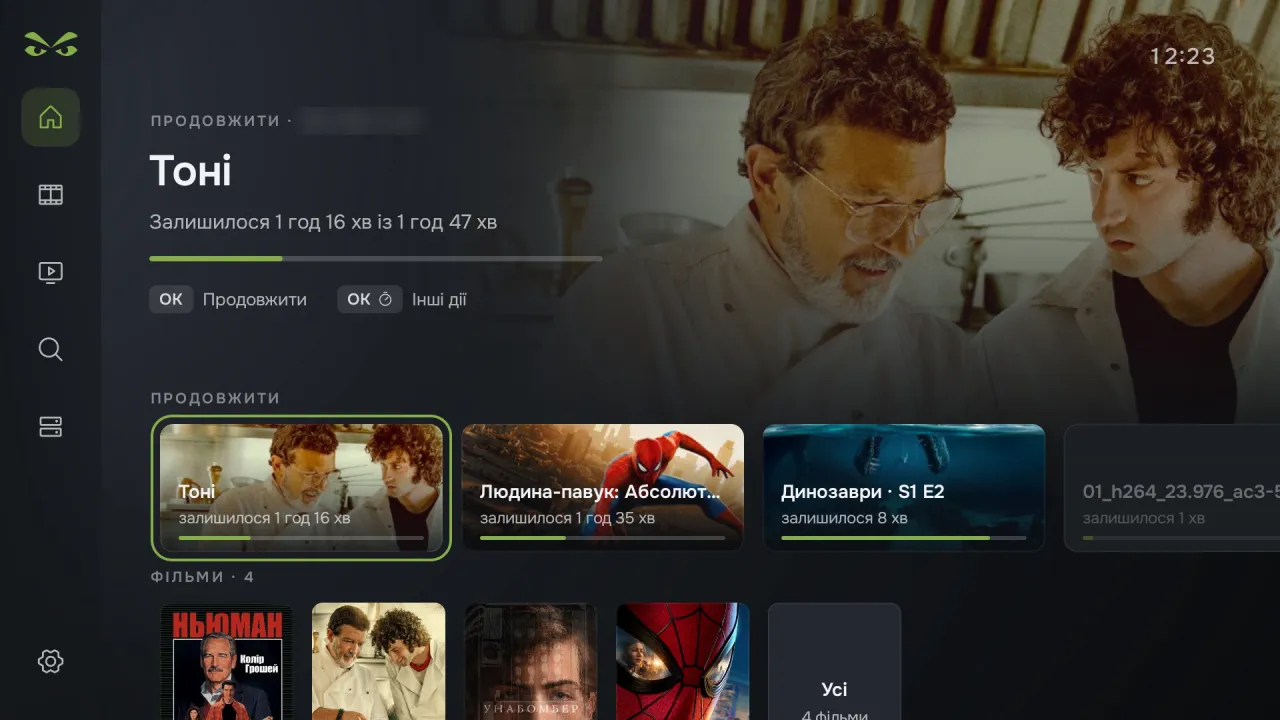
Viy: “Continue” — time left in the film and a row of things you haven’t finished
Frame

No black bars, no judder.

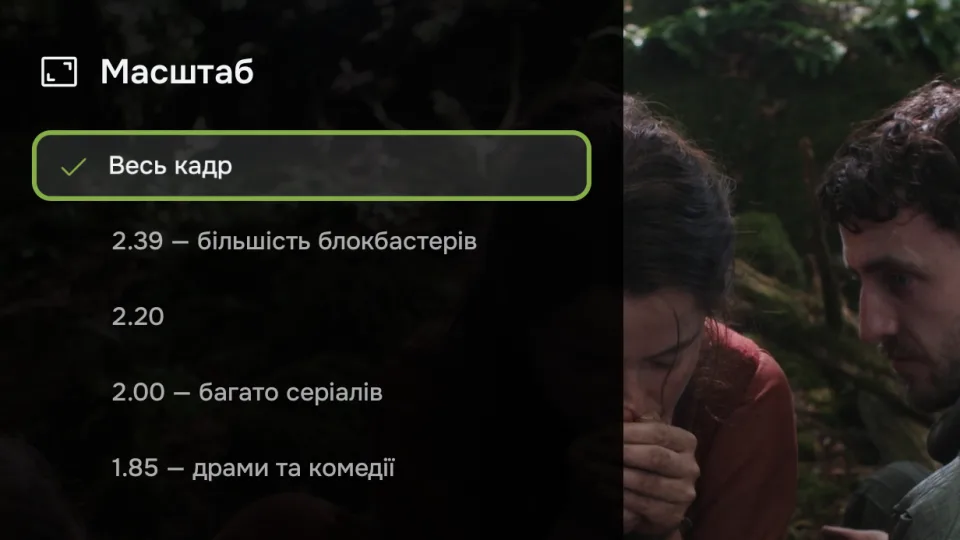
The refresh rate adapts to the film, and zoom presets remove black bars: 2.39, 2.20, 2.00 or 1.85.

Viy: the “Zoom” menu — whole frame and the 2.39, 2.20, 2.00, 1.85 presets
For other apps

A player for other apps.

Flux, TorrServer and other apps open videos in Viy as an external player — and the playback position goes back to them.

━━ ▶ ━━
Install and launch

Get started in 3 minutes.

Everything is done right on the TV with the remote. From then on, Viy updates automatically.

✓ Android TV or Google TV, Android 7.0+
✓ Videos on a USB stick, your home network or a link
✓ Regular remote
Google Play on TV · Search
🔍 downloader
↓
DownloaderFree · For Android TV
Install
Downloader · Enter URL
liilstudio.online/viy.apk
Go
Install Viy?
Universal APK build
Cancel Install
VIDEO SOURCES
TV memory USB + Add
LOCAL NETWORK (SMB)
Home PC NAS
liilstudio.online/viy.apk
or download the APK file to a PC or phone and transfer it to the TV
IMPORTANT:
Viy contains no films. It plays your own files — from the TV’s memory, a USB stick, your home network or a link. Descriptions and posters for the library — from TMDB.
Update history

What’s new.

Viy checks for updates itself at launch and offers to install the latest version.

0.10 new
Library moves to another box by code. Dolby Digital 5.1 for soundbars and stereo-only TVs. Atmos in MKV. Posters where TMDb is blocked. A short network drop no longer stops a film.
0.9
Dolby and DTS to receivers on Android 13–14 boxes again. Library folders as “Films” or “Series”. 4K Dolby Vision with Bluetooth fixed. Seeking in more MKV files. “Our apps” in Settings.
0.8
Films of a switched-off server stay in the library, dimmed. Dub kept for the whole series. Dolby and DTS to TV speakers again. Full track names. Pause without the panel. Buffer % while loading.
0.7
Torrent series start in seconds. DLNA media servers. Episode list in the player. Buffer size in MB. Interface language. Delete files from the library. MKV without micro-freezes.
0.6
Skip intros by itself. Voice boost, stereo and one audio delay for all files. Subtitle colour, font and outline; default audio and subtitle languages. Colour themes.
0.5
Home library: films and series with posters, pages, cast and search. Dolby Vision profile 7 (UHD Blu‑ray remuxes) on TVs without it. Frame presets remove black bars, computers on your home network are found by themselves.
0.4
Skip intro, recap and credits in files with named chapters. Episode lists from Flux and TorrServer. SMB1 servers and network search. Fixes: sound with night mode, Dolby Vision.
0.3
Volume boost up to +12 dB and smooth seeking when holding ←/→. The picture dims on pause, a clock over the video, “Zoom” in one press, audio and subtitles in your language.
0.2
WebDAV network folders — Nextcloud, NAS, cloud storage. “Fill” no longer stretches the picture: the edges are cropped, and 4K and HDR are shown whole.
0.1
First version.
FAQ

Questions and answers.

Where does Viy get films from? +
Viy contains no content: it plays your files — from the TV’s memory, a USB stick, a computer on your home network (SMB), WebDAV or a link. Descriptions and posters for the library — from TMDB.
Which formats does Viy support? +
MKV, MP4, TS/M2TS, AVI, MPG/VOB, plus HLS and DASH streams. Video — H.264, HEVC, AV1, VP9, MPEG‑2, MPEG‑4/XviD. Audio — AC3, E‑AC3, DTS, TrueHD, AAC, FLAC and more.
Will Viy show Dolby Vision on my TV? +
If your TV supports Dolby Vision — yes, and Viy converts profile 7 files for TVs that can’t handle it themselves. The TV shows HDR10 and HLG as is.
Can I send the audio to a receiver? +
Yes. In “Auto” mode the track goes to the receiver unchanged. If there’s no receiver, Viy decodes AC3, DTS and TrueHD itself.
Can I open videos from other apps? +
Yes. Viy works as an external player: apps like Flux or TorrServer open videos in it, and the playback position goes back to them.
How do I update Viy? +
Viy checks for new versions itself at launch and offers to update — it downloads exactly the build that suits your box.
Is it really free? +
Yes. No ads, accounts or tracking: Viy collects no statistics at all.
Ecosystem

Also from liil studio.

Still have questions?

Write in our Telegram chat — the community and developers will help with setup.

Open chat

App

Version · APK

On your TV Easiest

Open the Downloader app (it’s in Google Play on TV) and enter the short address:

liilstudio.online/flux.apk

From a computer or phone

Download the APK file straight from GitHub and move it to the TV with a USB stick or “Send Files to TV”.

Download APK ↓

The file comes from the official GitHub repository — the same place auto-updates come from. Android may ask you to allow installs from unknown sources for Downloader — this is a standard system requirement.